PDF Password Remover
Forgetting a password to your own document… It can happen to anyone at least once in a lifetime. And the most unattractive perspective is re-doing all work again. What if some software to recover or remove your lost password existed… You are lucky, it actually does!
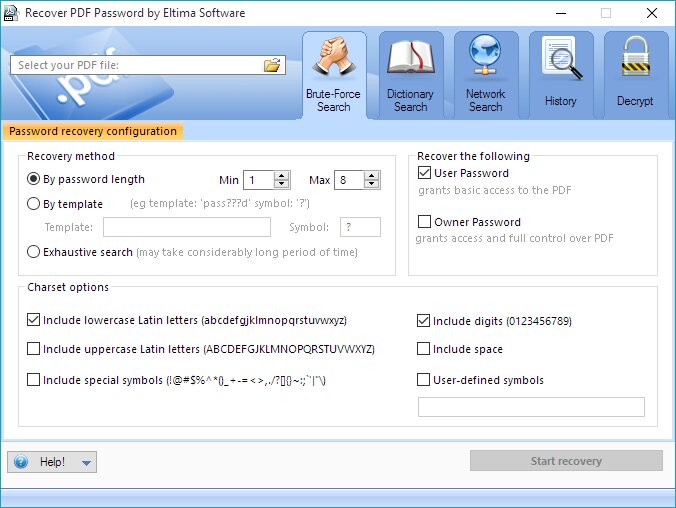
PDF Password Remover can remove PDF password protection in several clicks. As a result you get rid of printing, editing, and copying restrictions. Brute force attacks can be used for recovering owner and user passwords.
PDF Password Remover can remove PDF password protection in several clicks. As a result you get rid of printing, editing, and copying restrictions. Brute force attacks can be used for recovering owner and user passwords.
Speed up the password search by using Network Edition of Recover PDF Password, which involves the resources of multiple computers on the network
Recover PDF Password enables you to do the following:
Remove owner and user password protection
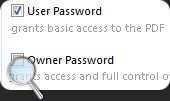
You can protect PDF document with two types of passwords: owner and user. First allows you to set permissions for the protected document (modifying, printing, etc.), and second - allows you to for open password protected PDF document. You can recover the password your document was protected with or both of them in order to get full access to your PDF document.
Remove PDF password even faster than before
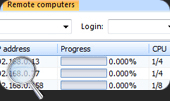
You can remove PDF encryption much faster now thanks to the network distributed search involving multiple computers at the same time. All you have to do is choose the method of recovery and connect with the necessary amount of computer agents - start the search then. Recover PDF Password allows using not all resources of the agents' CPU leaving the needed capacity for smooth functioning of the computers.
Create 1:1 copy of PDF file
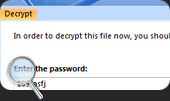
If user password is missing, then there is no need to recover owner password (unless you want it). PDF password remover features "Decrypt" option to remove pdf encryption entirely just in one click! So you just have a copy of your protected PDF file, but with absolutely no restrictions or limitations.
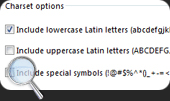
Adjust search parameters for faster performance
If you can still remember some details about your password (it contains numerals, or uppercase letters, or space, etc.) you can speed up the search process by defining the dictionary, that PDF security remover should be using to recover the password.
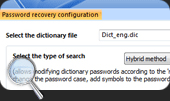
Search for and remove PDF password by dictionary
Usually the passwords are created by hand and consist of simple words or their modifications. PDF password remover offers very convenient Dictionary search that can save you a lot of time while searching for the password. PDF password remove dictionary offers more than 400 000 words to search through.
Full features list:
| Recovers "user" password required to open the file | |
| Recovers "owner" passwords, which protect documents from being printed, copied or edited. | |
| Network distributed search, which speeds up password search significantly (for Network Editions only) | |
| Working on multi-core computers makes Recover PDF Password performance even faster and more efficient | |
| Supports Unicode passwords recovery for Acrobat 9.x files! | |
| Supports PDF 1.7 (Acrobat 9.x) files, including 256-bit encryption | |
| Adobe Acrobat software is not required | |
| A vivid progress bar will show you how much time is left for password recovery | |
| Brute-Force search is used to recover the "owner" and "user" passwords | |
| Offers various recovery methods: by password length, by template, exhaustive search or dictionary search. | |
| Specify your own template to minimize search time if any part of the password is known - include or exclude digits, lowercase or uppercase letters, etc. | |
| Creates the decrypted copy of the file if "user" password is known. | |
| Removes the digital signature from a decrypted file | |
| Non-English characters in passwords are supported | |
| Decrypted file passwords can be viewed any time | |
| Drag and drop PDF files support | |
| Flexible and user-friendly program interface |
Compatible with:
- Windows XP (32-bit and 64-bit)
- Windows 2003 (32-bit and 64-bit)
- Windows 2008 (32-bit and 64-bit)
- Windows Vista (32-bit and 64-bit)
- Windows 7 (32-bit and 64-bit)
- Windows 8 (32-bit and 64-bit)
- Windows 10 (32-bit and 64-bit)
- Windows Server 2012
Demo version limitations:
- A PDF file password can be recovered if it is not longer than four symbols when performing brute-force search or network search. When dictionary search is used, password of any length can be recovered, but only the first and the last symbols will be shown.
- File decryption is available if owner or user password was restored or user password is absent. However only first page will be decrypted and watermark will be applied to it.

#1 BusinessApplication
Recover PDF Password
4.6 based on 36+
File size: 7.32MB
Latest build: 4.0.238
Release date: 22 March, 2012
Build compiled: 22 March, 2012
Languages: English, Deutsch, Français, Русский, Español, Română
Read full review