PDF password remover Mac
Lost or forgotten your password for a PDF document? Don't despair! You won't have to redo all the work if you have a PDF password remover for Mac software and you just found it here!
PDF password remover for Mac can easily remove PDF password on Mac in just a couple of clicks. It can help you get rid of printing, copying and editing restrictions. Use brute-force search to recover owner and user passwords for PDF document and use dictionary search if you remember your password is a word, word modification or combination of words.
PDF password remover for Mac can easily remove PDF password on Mac in just a couple of clicks. It can help you get rid of printing, copying and editing restrictions. Use brute-force search to recover owner and user passwords for PDF document and use dictionary search if you remember your password is a word, word modification or combination of words.
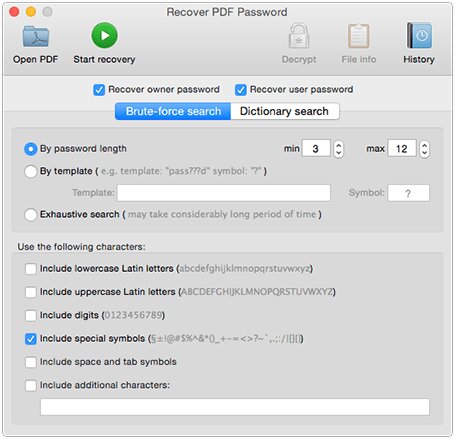
PDF password remover Mac lets you achieve the following:
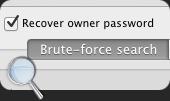
Remove PDF password on Mac
PDF files are usually protected with "owner" and "user" passwords, or with one of them. First type of password allows setting permissions for the document (editing, printing, etc.); the second type allows accessing protected PDF file. With PDF password remover for Mac you can recover the password protecting your PDF document and get full access to it.
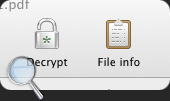
Create the exact not protected copy of PDF document
If the document is protected only with owner password and you don't need to recover it, you can just use "Decrypt" option of PDF password remover for Mac to remove PDF protection entirely. As a result you get absolutely unprotected copy of PDF file - no limitations apply.
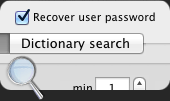
Search and remove PDF password Mac by dictionary
Mostly the passwords are created manually out of simple words that are found in a dictionary. If you know that your password was a word or word modification you can use Dictionary search of our PDF password remover Mac app. This search method will save your time. Dictionary search features simple, complex and hybrid methods and offers the dictionary of more than 400 000 words.
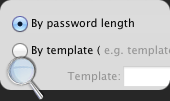
Flexible password search parameters
If you still remember some details about your lost password you can increase the search speed by defining the search parameters, thus narrowing your search.
Full features list:
| Supports Unicode passwords recovery | |
| Adobe Acrobat software is not required | |
| Supports all versions of Adobe Acrobat up to v.9 with its 256-bit encryption | |
| Recovers "User" password required to open the file | |
| Recovers "Owner" passwords, which prevent PDF files from being printed, copied or edited | |
| Creates decrypted copy of a file if "User" password is known | |
| Optimized for multi-core computers, resulting in a faster and even more efficient password recovery. | |
| Brute-Force search is used to recover the "owner" and "user" passwords | |
| Offers several recovery methods: by password length, by template, by dictionary or exhaustive search. | |
| You have a possibility to minimize the search time by specifying your own template - include or exclude lowercase and uppercase letters, digits, etc. | |
| Decrypted file passwords can be viewed any time | |
| View protected PDF file info: general (like file name, PDF version, enciphering, etc.), and more specific (revision, owner string, etc.). | |
| Features digital signature removal | |
| Drag and drop PDF files support | |
| Flexible and user-friendly program interface |
Compatible with:
- Mac OS X 10.5
- Mac OS X 10.6
- macOS 10.7
- macOS 10.8
- macOS 10.9
- macOS 10.10
Demo version limitations:
- The recovered password will only have 3 first symbols visible, the rest will be masked with "*"
- File decryption is available if owner or user password was restored or user password is absent. However only first page will be decrypted and watermark will be applied to it.
#1 BusinessApplication
Recover PDF Password for Mac
File size: 5.4MB
Latest build: 3.1.43
Release date: 20 June, 2011
Build compiled: 20 June, 2011
Languages: English
Read full review